


Wedding Newspaper Template: Editable Program & Itinerary (Digital)
Wedding Newspaper Template: Editable Program & Itinerary (Digital)
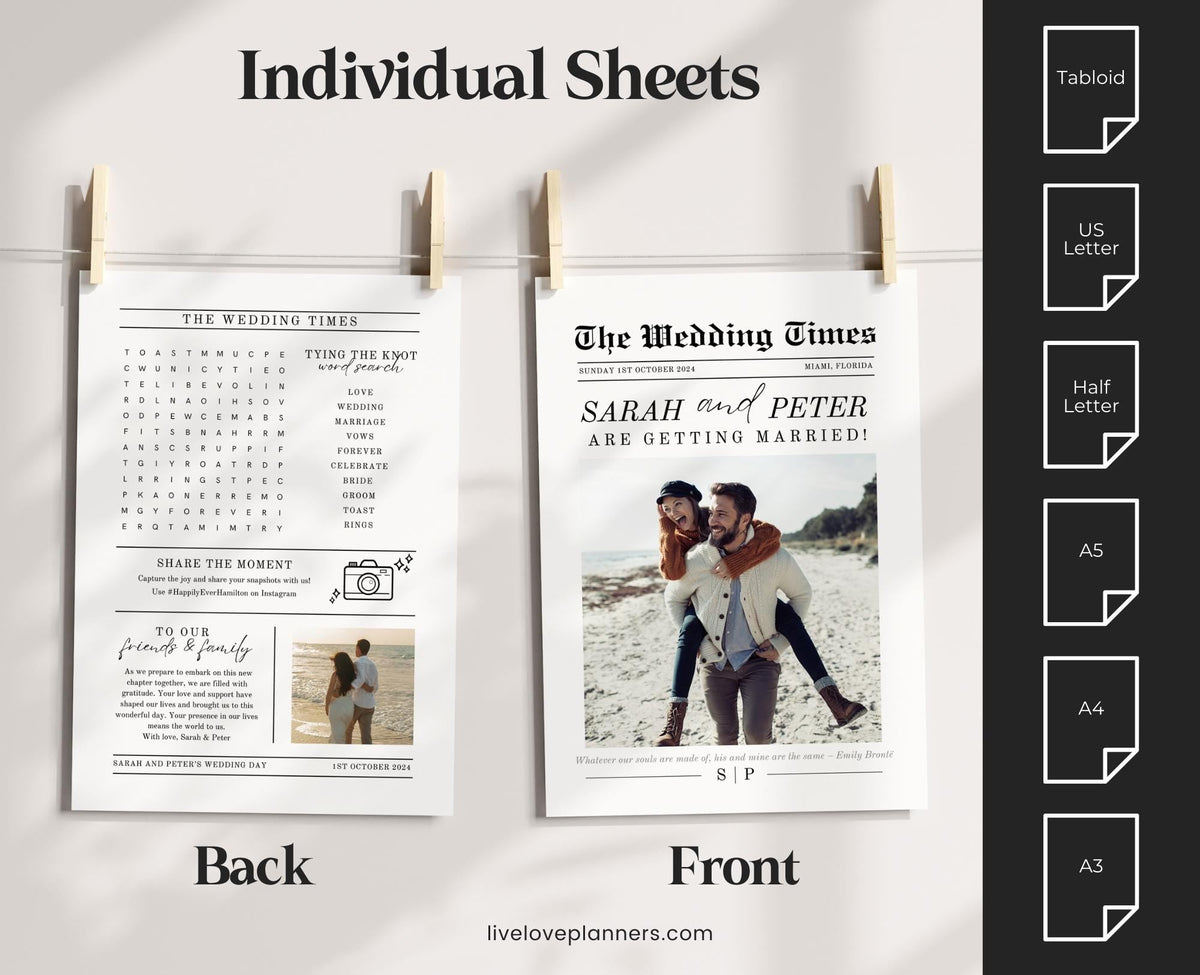
A fully editable wedding newspaper template in Canva for your programme, itinerary, save the dates or reception handout. Add your engagement photos, your love story and personal messages in a modern, elegant layout. A personal keepsake your guests will want to take home.
Couldn't load pickup availability
- Instant download
- Editable in Canva
- Free Canva account
Features
Celebrate Your Love with our Wedding Newspaper Template! 📰
Make your wedding day one-of-a-kind with our fully editable Wedding Newspaper Template. This beautifully designed template is perfect for turning your love story into a keepsake that guests will cherish forever. Whether you're using it for save-the-dates, wedding programs, or as a reception handout, this personal touch will make your celebration stand out.
Create a unique memento by featuring your engagement photos, sharing key moments in your relationship, and adding personal messages in a modern, elegant format. ✨
🌟 Key Benefits
- Completely Customizable – Easily add your photos, change text, and adjust details to match your wedding theme
- Versatile Uses – Great for save-the-dates, ceremony programs, or reception handouts
- Highlight Your Story – Share your journey with beautiful photos and personal details
- Elegant Design – A stylish, contemporary look that enhances any wedding theme
- A Lasting Keepsake – Give your guests a personal memento they'll treasure for years
🛠️ Simple to Edit
With our user-friendly editor, you can personalize your template directly in your web browser, no special software required! Download, edit, and print it in just a few steps.
📦 What’s Included
Sizes for Individual Sheets
A4
US Letter
½ US Letter
A3
A5
Tabloid
Spreads Available
A5
A4
Half Letter
US Letter
Digital Sizes
Digital Tabloid
Digital Broadsheet
Each size includes step-by-step instructions for printing and tips to achieve a professional look at home or via a print shop! 🖨️
✏️ Fully Editable
Modify all text, images, and elements to make it completely your own.
⚠️ IMPORTANT ⚠️
It's important that you double-check all spellings and details before printing to avoid any errors.
Need Help?
Feel free to reach out anytime, I’m happy to help with any queries or requests! 😊
What you'll need
Instant download
This is a digital product. Nothing is posted to you, and your files are ready the moment you check out.
- You'll see a download button on your order confirmation page.
- You'll also get an email with your download link, so you can come back to your files any time.
- Your download is a PDF with your template link. Open it, click the link and Canva will make you your own editable copy.
Can't find the email? Check your spam or promotions folder. If it's not there, get in touch and I'll resend your link.
Refunds & help
Because these are digital files you can download straight away, I can't offer refunds or exchanges once your order has been placed.
If something isn't right, like a file won't open, a link doesn't work or a page is missing, get in touch and I'll sort it for you.
Files are for your personal use only. Please don't share, resell or redistribute them.
Full details: Delivery and Refunds.
Bundle & save 20%
Pick 2 or more and the discount comes off automatically at checkout.
-
 This item: Wedding Newspaper Template: Editable Program & Itinerary (Digital)
£4.99
This item: Wedding Newspaper Template: Editable Program & Itinerary (Digital)
£4.99
-
 £5.49
£5.49
-
 £4.49
£4.49


Total:


Start planning in minutes
- 1Buy
Check out securely. There's nothing to post, so it's yours straight away.
- 2Download
Your download button appears on the order page and in your confirmation email.
- 3Open in Canva
Click the link in your PDF and Canva makes you your own editable copy.
Questions
Will it work on my device?
Digital planners work on iPad and Android tablets with a PDF app like Goodnotes, Notability, Xodo or Samsung Notes. They're not designed for phones or Kindle Fire. The "What you'll need" section above lists exactly what this product needs.
I've never used a digital planner. Is it hard to set up?
Not at all. Every planner comes with a user guide that walks you through downloading, importing and using the links. It only takes a few minutes.
Can I use it on more than one device?
Yes. You can download your files again on any device you own, as long as it's for your personal use.
Can I get a refund?
Because the files download straight away, I can't offer refunds. If something isn't working, get in touch and I'll sort it for you.
Do you have something I can try first?
Yes. The freebie library is full of free planners, samples, stickers and wallpapers, including samples of some of the paid planners.